
Rewarx Studio AI review · Hands-on test
Rewarx Studio AI Review: we tested it on a real product photo
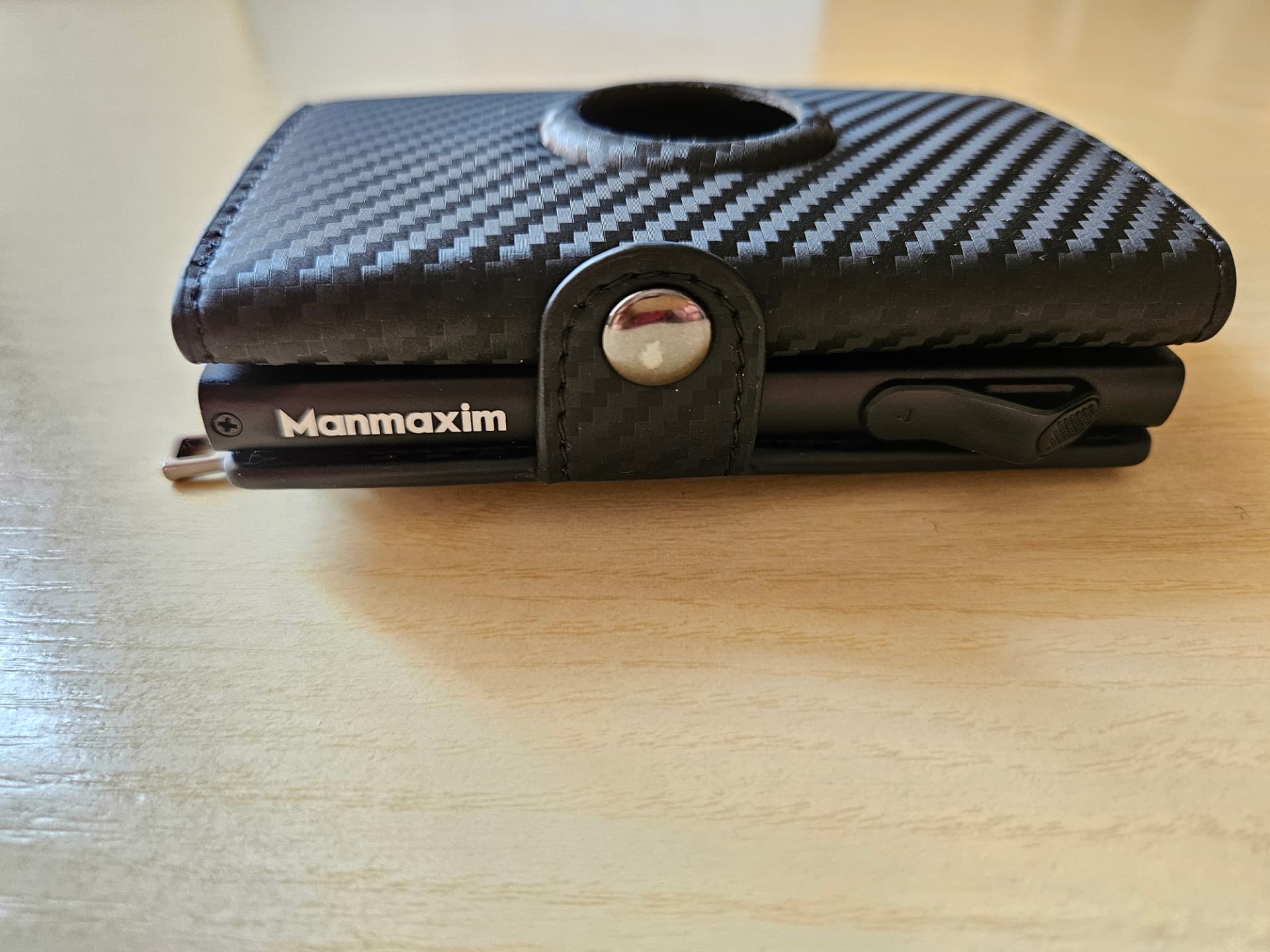
Rewarx Studio AI promises studio-style product photography from a single upload. We took one real product — a black Manmaxim wallet with a carbon-fiber-style exterior — through the core image and video workflow to see what the output actually looked like and where it failed.
Disclosure: Rewarx provided Toolessence with complimentary credits for hands-on testing and suggested a broad ecommerce-focused testing angle. Rewarx had no review, editing, or approval rights over this article. The findings and conclusions are entirely Toolessence’s. This page contains affiliate links, and Toolessence may earn a commission if you purchase through them, at no extra cost to you.
Verdict
Rewarx Studio AI produced polished, commercial-looking product visuals from an ordinary photo — but it also introduced Apple logos that were never in the original image. Treat it as a fast first-draft studio, not an unattended pipeline: review every asset before you use it.
Accuracy warning: in our test the model invented third-party branding. Publishing the output could misrepresent the product and create third-party trademark or brand-usage concerns.
Executive summary
| What it is | AI creative platform with product-photography and image-to-video tools for creating styled marketing visuals from source images. |
|---|---|
| What we tested | One real product — a black Manmaxim wallet/card holder with a carbon-fiber-style textured exterior. |
| Tested workflow | Casual phone photo → studio-style image → targeted refinement → vertical product video. |
| Photo generation | 1 credit |
| Targeted refinement | 1 credit |
| Video generation | 20 credits |
| Total test consumption | 22 credits |
| Video output | 8 seconds, 720 × 1280, 24 fps, stereo audio. |
| Watermark | Present on the plan tested. |
| Main correction result | Front snap-button logo removed; invented Apple branding remained in the upper circular opening. |
| Upscaling | One-click 2K and 4K options were visible in the interface but were not tested. |
| Overall conclusion | Strong visual presentation, inconsistent product-detail fidelity. |
| Best for | Sellers and marketers who will review every output before publishing. |
| Not for | Hands-off bulk generation, regulated categories, or anyone publishing unreviewed AI visuals. |
What we tested
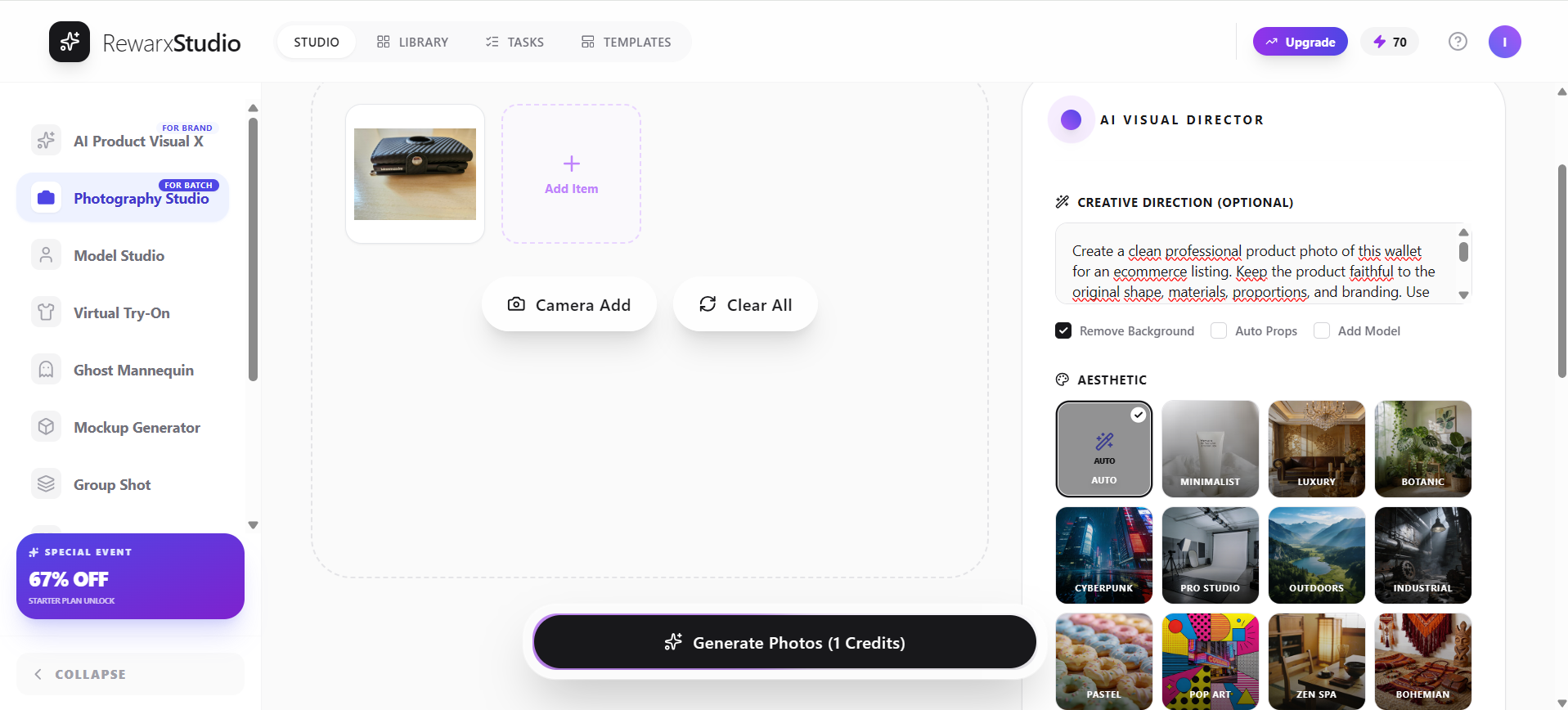
We started from an empty workspace and used a single real product photo — a black Manmaxim wallet/card holder with a carbon-fiber-style textured exterior, shot on a wooden table in ordinary conditions with no studio lighting or styling. That is deliberately the kind of image a small seller actually has on hand.
From there we followed the core workflow: upload, product detection, generation, refinement, download, and image-to-video. Rewarx displayed one-click 2K and 4K upscaling options, but Toolessence did not test their output quality, processing cost, or suitability for final ecommerce use.
Upload and product detection
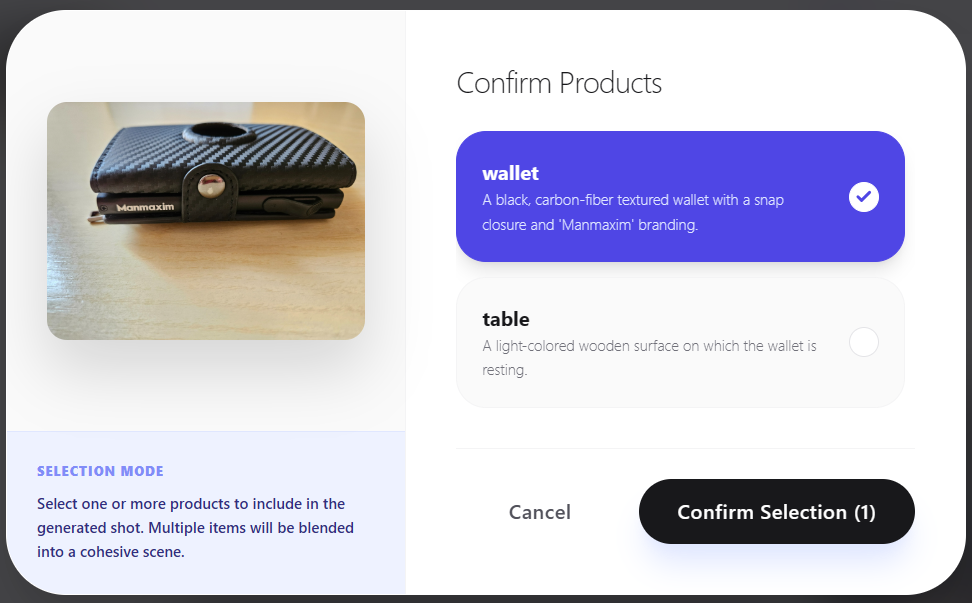
After upload, Rewarx detects the product and asks you to confirm it before generating. In our test the black Manmaxim wallet was isolated correctly with no manual masking or cutout work, which can be one of the most time-consuming steps in a DIY product-photography workflow.
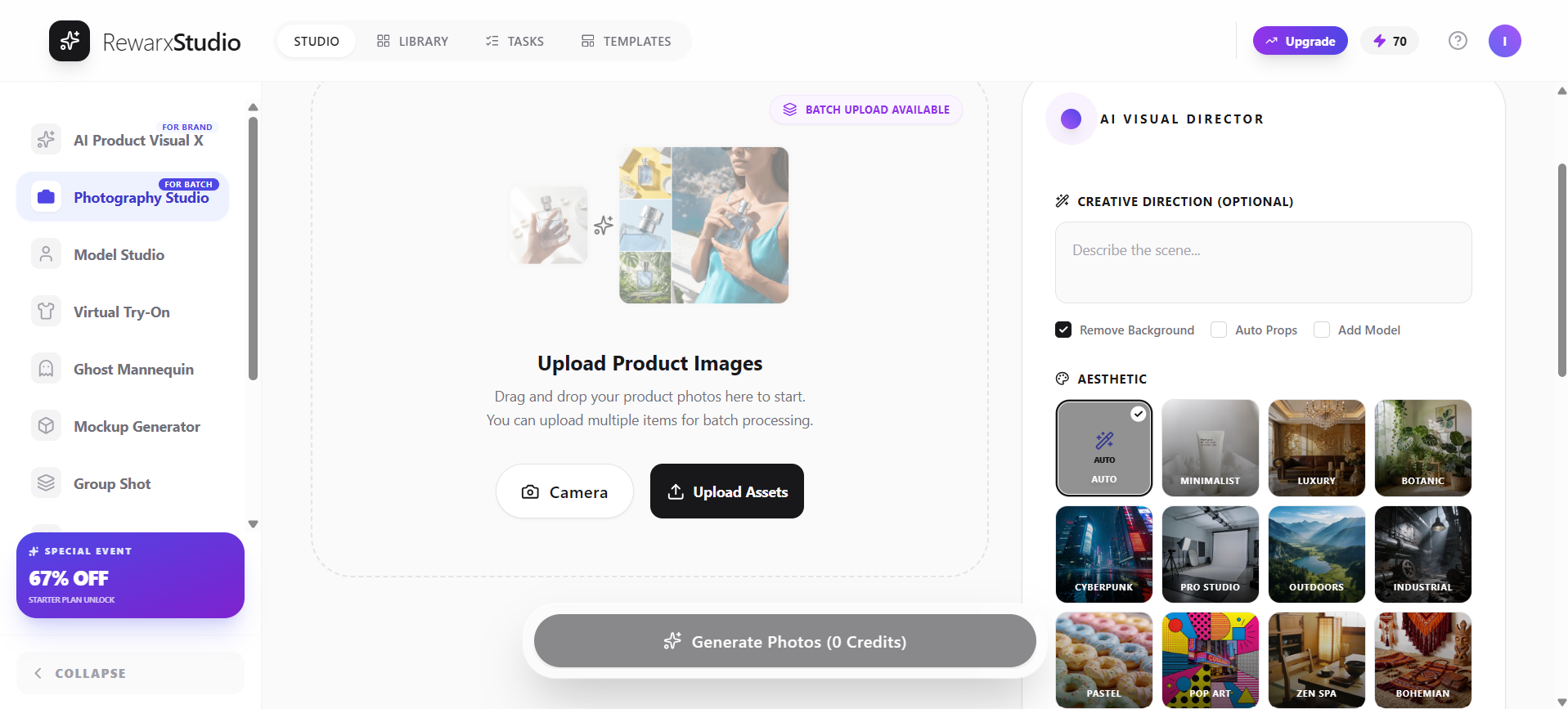
The prompt and settings panel is where you describe the scene you want — surface, lighting, mood, and framing — alongside output settings. It is simple enough to get a reasonable result on the first attempt.

The initial generated result
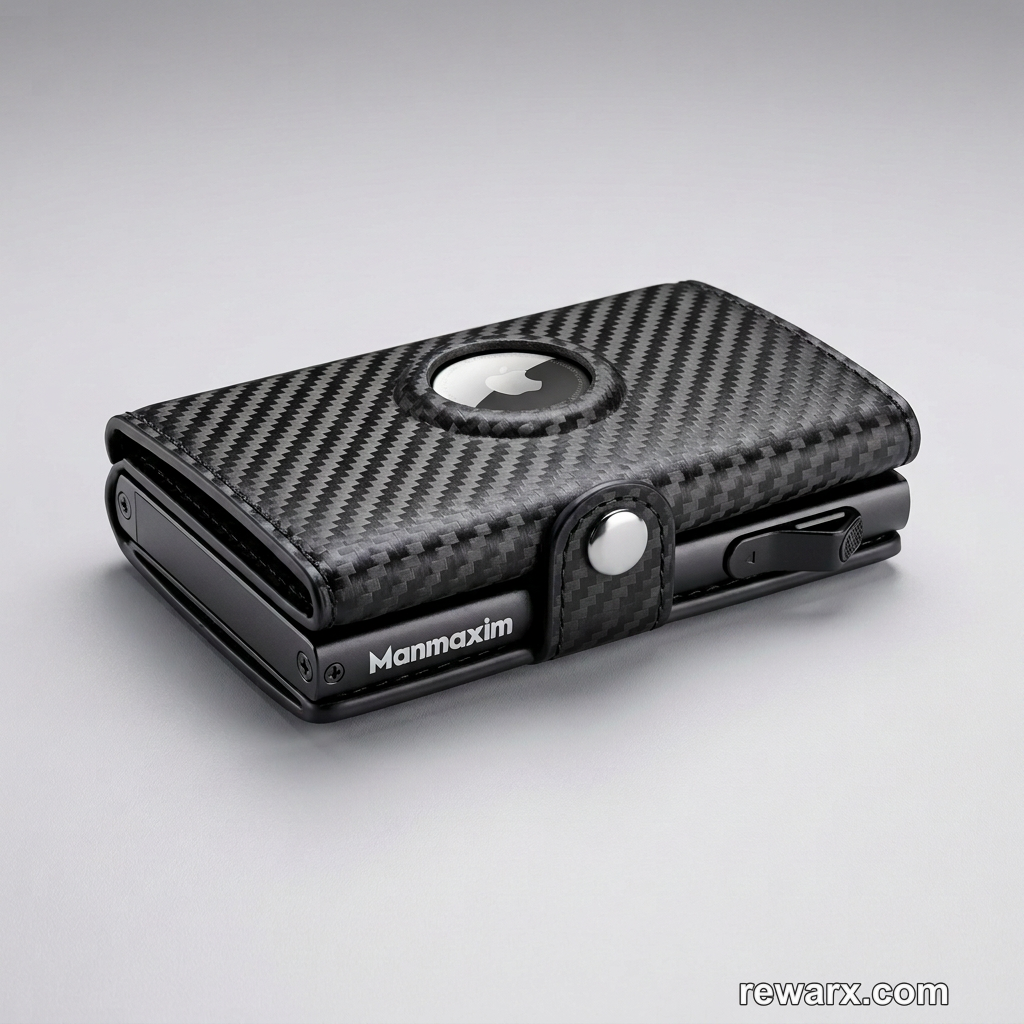
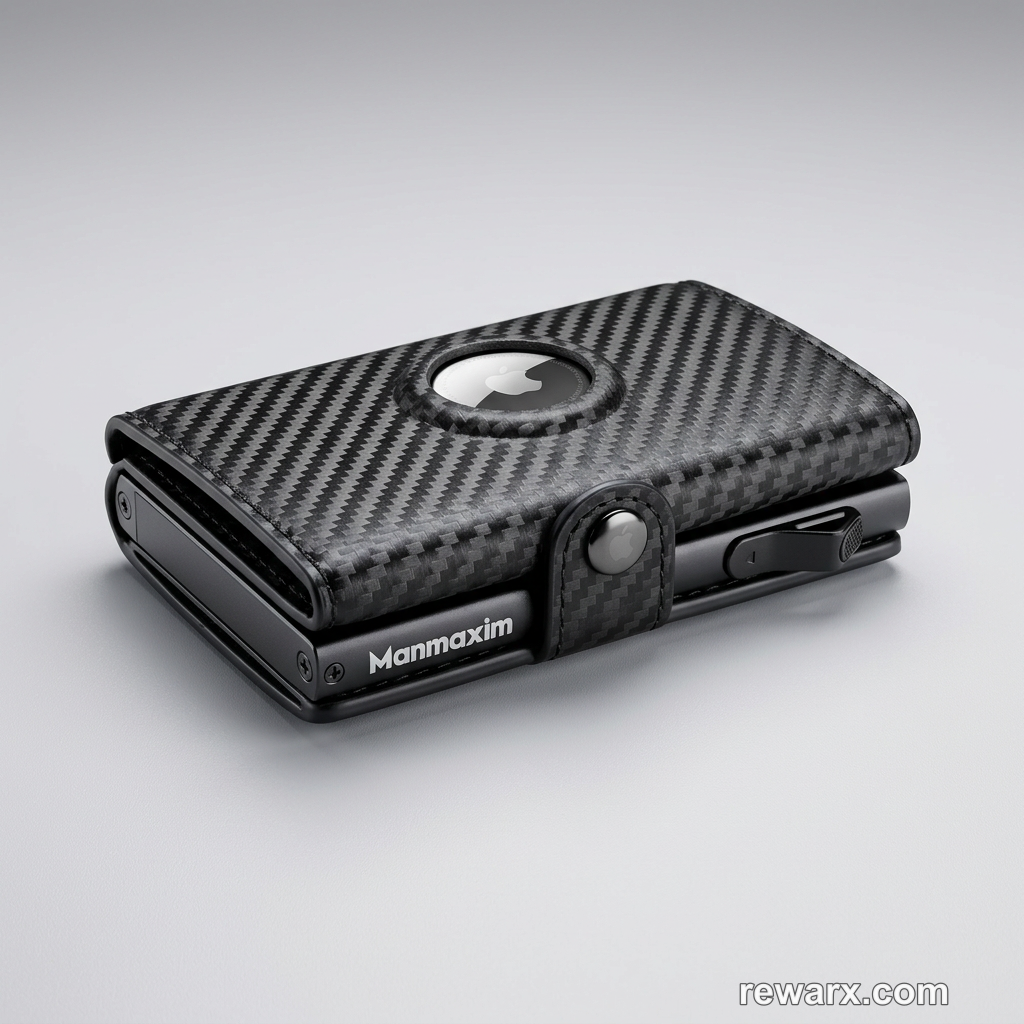
At first glance, the first render looked close to listing-ready. The lighting, background, shadow treatment, and composition were visually polished. However, full-resolution inspection revealed invented branding and altered product details, meaning the image was not suitable for publication without review and correction.
Polished presentation is not the same as factual product accuracy.
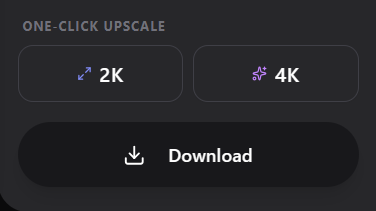
Rewarx displayed one-click 2K and 4K upscaling options, but Toolessence did not test their output quality, processing cost, or suitability for final ecommerce use.
The branding problem
Then we looked closer. The generated scene contained Apple logos that appear nowhere in the original photo — the model invented third-party branding and integrated it as if it were a genuine part of the product.
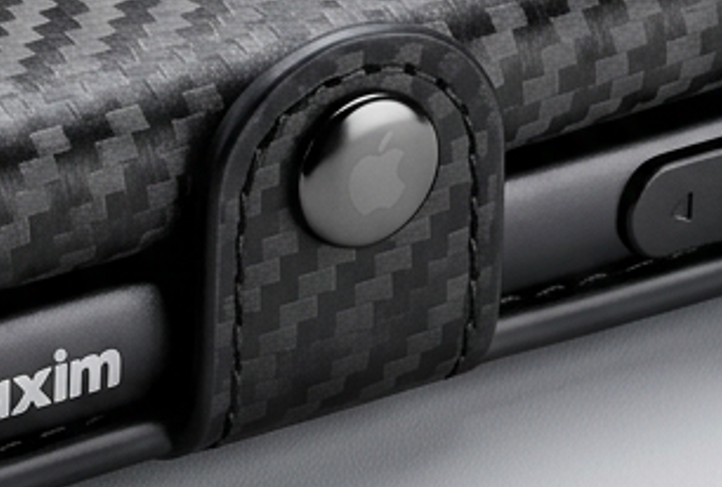
This is the finding that shapes the review. An aesthetic imperfection is a nuisance; invented brand marks are a different category of problem. Publishing the output could misrepresent the product and create third-party trademark or brand-usage concerns.
It is also easy to miss. The logo is small, well-integrated, and lit consistently with the rest of the scene — exactly the kind of detail that survives a quick approval pass.
The correction test
We ran a refinement prompt on the same render, explicitly asking for the invented Apple logo to be removed from the front snap button and the product left otherwise unchanged.
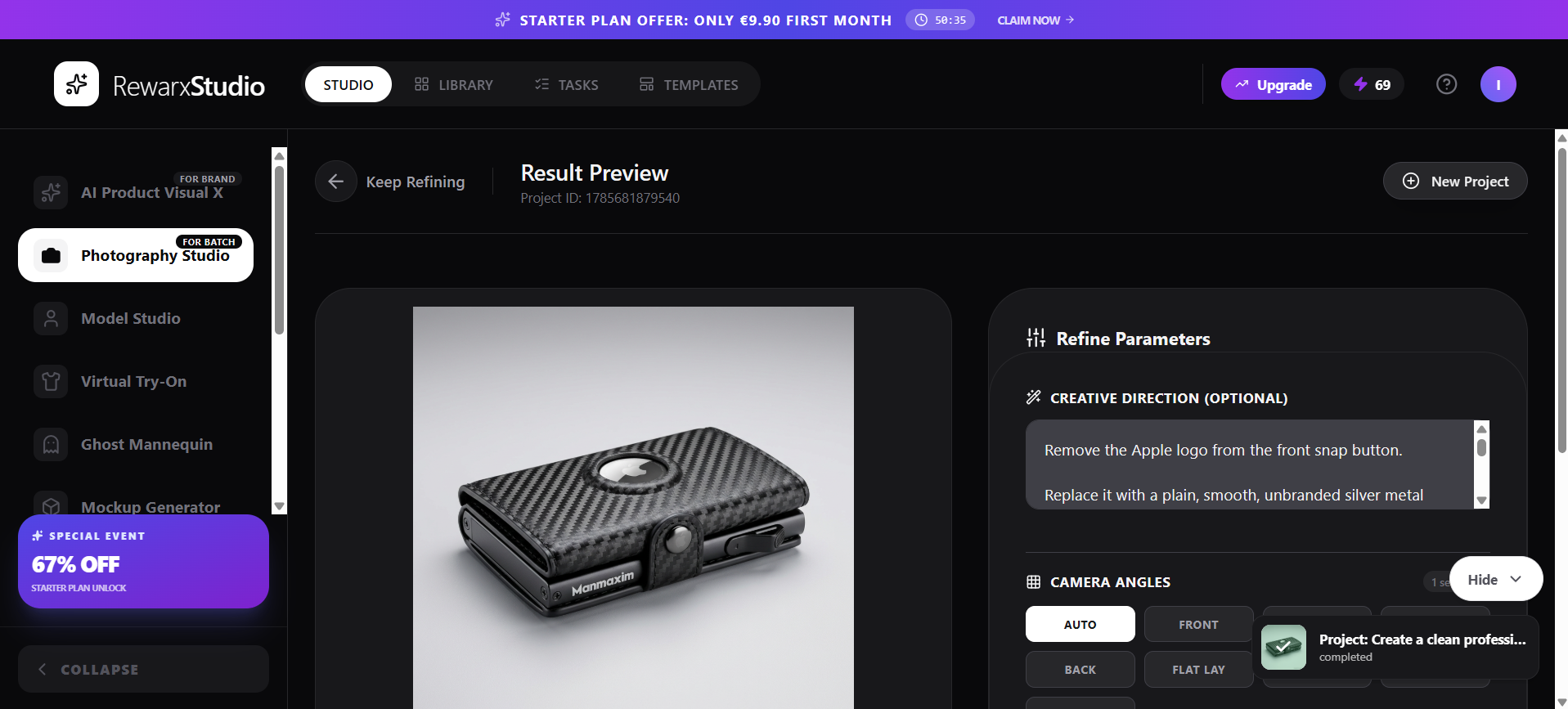
The targeted refinement successfully removed the invented Apple logo from the front snap button and replaced it with a plain, unbranded metal button. However, another invented Apple-branded element remained inside the wallet’s upper circular opening. The correction was therefore useful but only partially successful.
This matters because a successful correction in one area does not guarantee that every invented detail has been removed. The entire image still requires full-resolution human inspection.
Practical takeaway: refinement is a useful repair tool, but it does not turn the workflow into something you can trust unattended. Careful human review remains essential.
Image-to-video
Rewarx can animate a generated still into a short clip. We used the refined still image as the source, selected 9:16 portrait, and generated at a displayed cost of 20 credits.
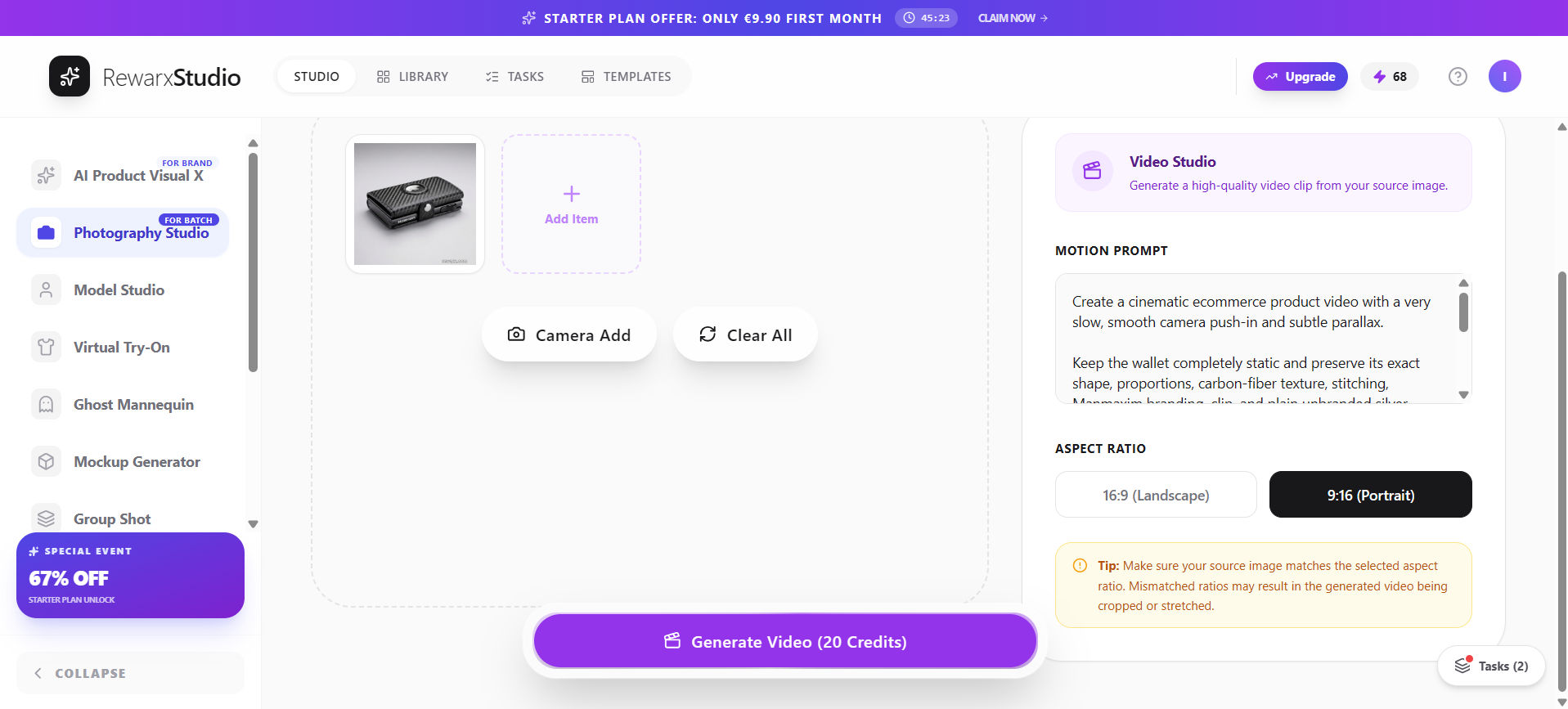
| Source image | The refined still image |
|---|---|
| Aspect ratio selected | 9:16 portrait |
| Generation cost shown | 20 credits |
| Duration | 8 seconds |
| Resolution | 720 × 1280 |
| Frame rate | 24 fps |
| Audio | Stereo background music, added automatically |
| Motion | Slow camera push-in |
| Watermark | Present |
| Front snap button | Remained plain and unbranded after correction |
| Remaining error | The Apple logo in the upper circular opening was preserved throughout |
| Framing | Square source composition placed inside the vertical frame with substantial black space above and below |
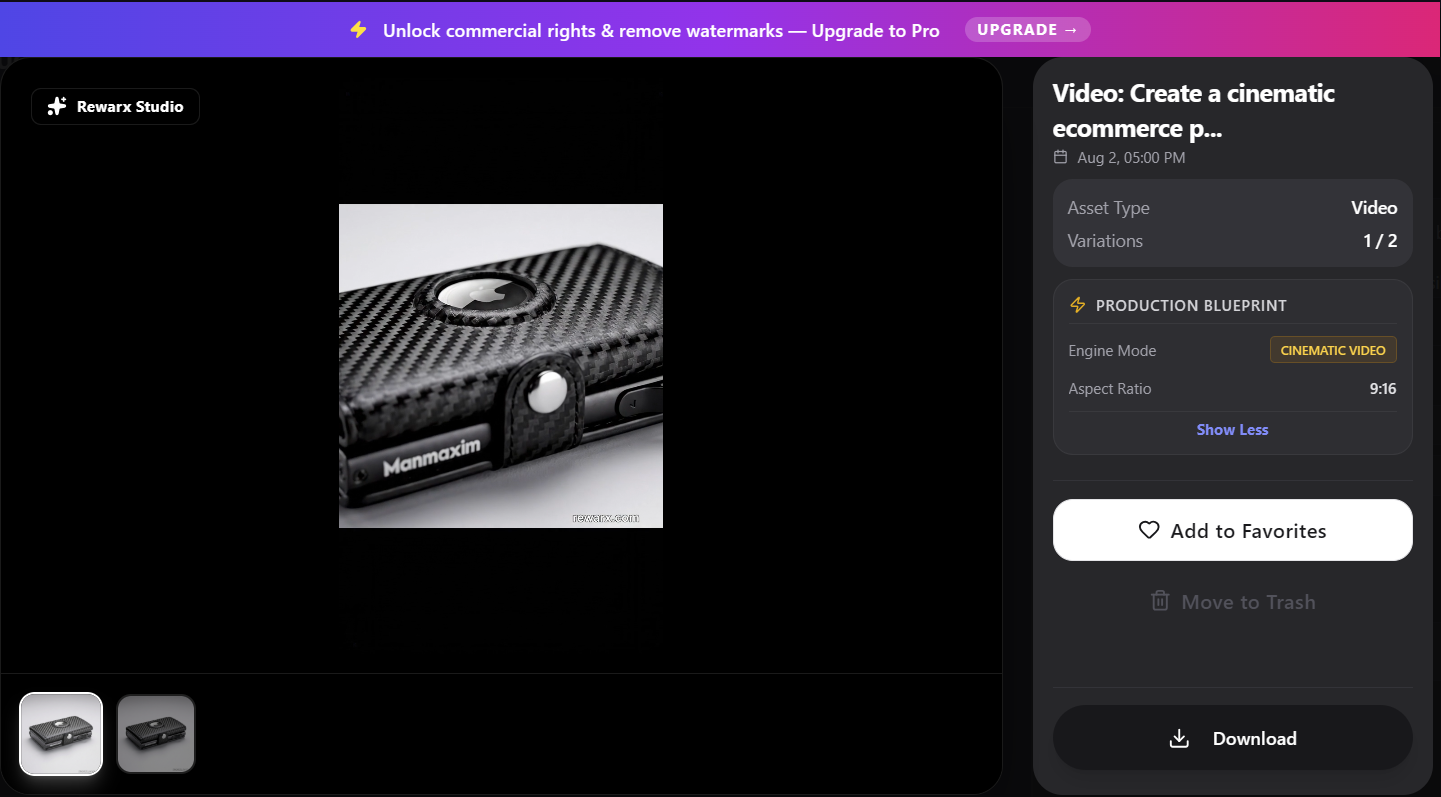
The motion was smooth, the camera push-in was coherent, and background music was added automatically. However, the video preserved the invented Apple logo that remained in the refined still image. It also placed the square source composition inside the 9:16 frame with substantial black space above and below rather than fully recomposing the scene for vertical video.
The result was useful as a fast social-media concept, but it was not publication-ready without further correction.
Ease of use
Nothing about the workflow required technical setup. Uploading, confirming the detected product, writing a short creative-direction prompt, and generating required only a short, clearly guided sequence of steps, with the credit cost shown before each step.
What made it easy
- Clean interface
- Clear upload workflow
- Automatic product detection before generation
- Easy creative-direction prompt
- Visible credit cost before generation
- Simple transition from photo to refinement and video
- Visible Library and Tasks areas for organising generated assets and processing activity
Where it added friction
- Several confirmation steps add some friction
- Visually polished output can conceal inaccurate details
- Refinement may fix only part of a problem
- Video can propagate errors from the source still
- Every asset requires careful human review
Toolessence hands-on assessment
| Ease of use | 8.5 / 10 |
|---|---|
| Visual presentation | 8.0 / 10 |
| Product-detail fidelity | 5.5 / 10 |
| Refinement workflow | 7.0 / 10 |
| Image-to-video | 6.5 / 10 |
These are Toolessence’s qualitative scores from this specific hands-on test, not universal benchmark data.
Credits, watermark, and commercial use
- Initial image generation: 1 credit
- Targeted refinement: 1 credit
- Video generation: 20 credits
- Total tested workflow: 22 credits
- 2K and 4K upscale options were visible but not tested
- Images and video contained a rewarx.com watermark
- The interface stated that upgrading to Pro unlocks commercial rights and removes watermarks
The interface displayed the message “Unlock commercial rights & remove watermarks — Upgrade to Pro.” Users should verify Rewarx’s current licensing terms, watermark rules, credit requirements, and permitted commercial use before publishing ecommerce or client assets.
Credit requirements, plan features, and licensing terms may change. Check Rewarx’s current pricing and license before purchasing or publishing commercial assets.
Pros and cons
What works well
- Polished product concepts generated quickly
- Approachable workflow that worked on the first try in our test
- Useful automatic product detection before generation
- Background removal and creative direction in one interface
- Targeted refinement available on an existing render
- Image-to-video conversion from the same source image
- Visible credit costs before generation
What to watch out for
- Invented logos and product details in our test
- Refinement only partially corrected the issue
- Video preserved the remaining visual error
- Watermarks on the tested plan
- Vertical video left substantial black space above and below
- Every output requires close human review
- Untested upscale quality — 2K and 4K options were visible but not evaluated
Final verdict
Rewarx Studio AI can turn a basic product photograph into a much more polished visual with very little setup. Its interface is approachable, its product-detection step is useful, and its image-to-video workflow makes it attractive for rapid ecommerce and social-media concepts.
The central limitation is fidelity. In our test, Rewarx introduced Apple branding that was not present on the real product. A targeted refinement corrected the front snap button but left another invented Apple-branded element in the upper circular opening. That remaining error was then preserved in the video.
Rewarx also rewards careful iteration. In our test, a targeted refinement materially improved the image and corrected one of the invented branding details. Users who are willing to inspect each output closely, issue precise correction prompts, and repeat the process when necessary may achieve substantially stronger final results than the first generation suggests.
We would use Rewarx for ideation, visual drafts, campaign concepts, and creative experimentation — but not as an unsupervised replacement for accurate product photography.
Toolessence rating
7.0 / 10
Strong with active supervision, unreliable unattended
Frequently asked questions
What product did you test Rewarx Studio AI on?
We tested one real product: a black Manmaxim wallet/card holder with a carbon-fiber-style textured exterior, photographed casually on a wooden table with a phone.
Does Rewarx Studio AI produce usable product photos?
The lighting, background, and composition of the generated shots were visually polished. The caveat is accuracy, not aesthetics: full-resolution inspection revealed invented branding, so the output needed review and correction before any publication.
What went wrong in your test?
The model added Apple branding that did not exist anywhere on the real black Manmaxim wallet. Publishing the output could misrepresent the product and create third-party trademark or brand-usage concerns.
Could you fix the hallucinated logos?
Partly. A targeted refinement removed the invented Apple logo from the front snap button and replaced it with a plain, unbranded metal button. However, another invented Apple-branded element remained inside the wallet's upper circular opening, so the correction was only partially successful.
Did the video fix or repeat the error?
It repeated it. The image-to-video output preserved the remaining Apple-branded element in the upper circular opening throughout the clip.
What were the video output specifications?
The generated clip was 8 seconds long at 720 × 1280 (9:16 portrait), 24 fps, with stereo background music added automatically and a slow camera push-in. It also carried a watermark and placed the square source composition inside the vertical frame with substantial black space above and below.
Did you test the 2K and 4K upscaling?
No. Rewarx displayed one-click 2K and 4K upscaling options, but Toolessence did not test their output quality, processing cost, or suitability for final ecommerce use.
How many credits did the test consume?
22 credits in total: 1 credit for the initial image generation, 1 credit for the targeted refinement, and 20 credits for the video generation.
Are the outputs watermarked?
On the plan we tested, the downloaded images and the video contained a rewarx.com watermark, and the interface displayed the message "Unlock commercial rights & remove watermarks — Upgrade to Pro." Users should verify Rewarx's current licensing terms, watermark rules, credit requirements, and permitted commercial use before publishing ecommerce or client assets.
Who should use Rewarx Studio AI?
Ecommerce sellers, small brands, and marketers who need more product visuals than their budget allows and who will review each asset closely before publishing it.
How did Toolessence test it?
We uploaded one real product photo and worked through the core workflow: upload, product detection, generation, refinement, download, and image-to-video — capturing screenshots at each step.